Free Multiplayer Browser GamesFree Multiplayer Games
Choose a game for your group: Doodle Dash for drawing and guessing, Drift Legends for a two-player race, or Chess 3D for a one-on-one match. All three play in your browser without a game download. Sign in if prompted when creating or joining a room.Play free multiplayer games with friends or compete against players worldwide. Drawing party games, real-time racing, and strategic chess - no signup required.
Bring friends to a private room when you want to play together. Quick Play or Quick Match can help you find a room or opponent, but availability varies. Live multiplayer means sharing a match; solo AI games and comparing leaderboard scores are different ways to compete.
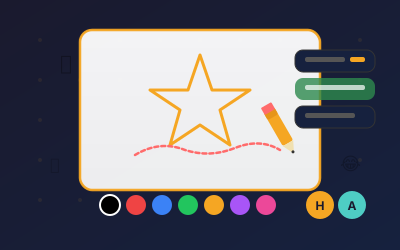
Doodle Dash: 2–30 players in a private room. Pick Doodle Dash for a group drawing game. In Classic, one player draws while the others type guesses; in Speed Draw, everyone draws the same word and then votes.
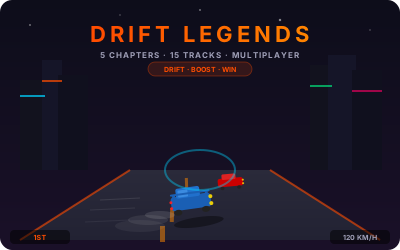
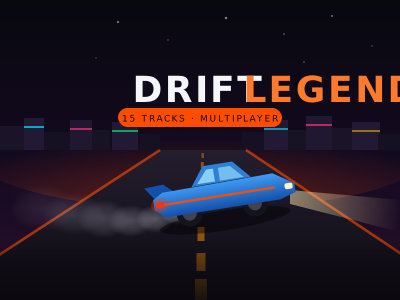
Drift Legends: 2 players. Pick Drift Legends for a live race against one rival. Online races are separate from the solo story campaign.
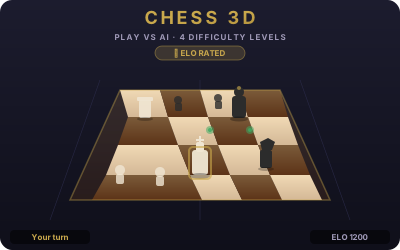
Chess 3D: 2 players. Pick Chess 3D for turn-based play. Use Play vs Friend for an online opponent; the four AI difficulty levels are for playing alone.
How to invite friends and join a game
Doodle Dash: choose a mode, select Create Private Room, and send the room code to your friends. They enter it in the room-code field and select Join. The host can start once at least two players have joined. Drift Legends: open Multiplayer, choose Create Room and share its code; your friend chooses Join Code and enters it. Chess 3D: choose Play vs Friend, then Create Private Game. Send the code or invite link; your friend can use Join by Code. For public play, use Doodle Dash’s Quick Play or the other games’ Quick Match. Doodle Dash public rooms can include bots.
Controls on computers and touchscreens
Doodle Dash: draw with a mouse or finger and type guesses in the chat. Drift Legends: use arrow keys or WASD to steer, accelerate and brake; Space or Shift activates drift. On a touchscreen, steer with the on-screen stick and use the Brake and Drift buttons; the car accelerates on its own. Chess 3D: click or tap a piece, then a highlighted destination; drag to rotate the board. The two 3D games need a browser and device that support WebGL. All online matches need an internet connection; loading and performance depend on your device and connection.
Multiplayer Games FAQ
Do I need an account to play with friends?
Expect a sign-in prompt if you open multiplayer without an existing player session. All three games require a player session to create or join a room; an active guest session from earlier play can also work. Drift Legends’ solo campaign and Chess 3D’s AI games can be started without signing in.
How many friends can play together?
Doodle Dash private rooms support 2–30 players, including the host. Drift Legends races and Chess 3D matches are for two players. For a larger group, choose Doodle Dash.
Do we need to download a game?
No game download is needed. Open the game in your browser, complete sign-in if prompted, and join using the host’s room code or supported invite link.
Is a leaderboard the same as multiplayer?
No. A leaderboard compares scores from separate runs. These three games also have shared online rooms or matches. Chess against an AI and Drift Legends’ story campaign are solo modes.
Does online racing advance the story campaign?
No. Drift Legends online races are separate from the campaign and do not advance its chapters.
Get the appSame account. Your streaks come with you.